


info@kps.com.vn
+84 903 709 019
Why do modern offices need a professional access control system today? How are digital transformation and automation trends quietly changing the way we manage our workspaces? Let's explore each aspect of this system from concept, structure, types, to selection criteria, deployment models and development trends to find the most suitable solution for your business.
An access control system is a security solution that allows management and control of human access to certain areas in an office or building. This solution replaces traditional methods such as mechanical locks and keys, providing flexible management, monitoring and higher security.
A standard access control system consists of 5 main components:
Based on user identification technology, each system can use one or more combined methods:
Based on how to connect and manage devices, the system is divided into:
Standalone system
Network system
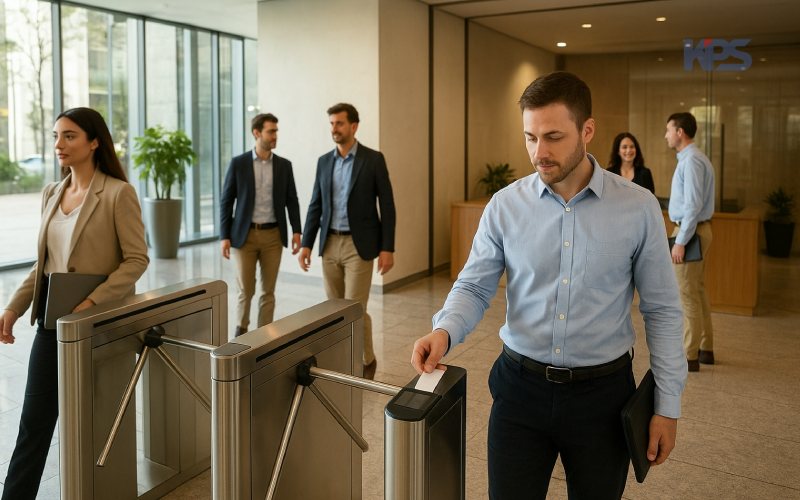
Choosing the right access control system plays an important role in the effectiveness of office management and security. Some important criteria to consider include:
For the access control system to operate effectively and stably, businesses need to implement it according to a methodical process, including the following main steps:
In practice, access control systems can be deployed in many different models, depending on the size of the office, the existing network infrastructure and the enterprise's centralized management needs.
| Model | Deployment | Management | Scale | Investment Cost |
| Standalone | No network required | On the device | Small, few users | Low |
| Centralized | Via LAN network | On a local server | Medium & large, many doors/ | Medium – High |
| Cloud-based | Via Internet | On cloud platform | Distributed, multiple branches | Flexible |
KPS is currently a distributor and implementer of comprehensive access control solutions, providing full hardware, software, network infrastructure and synchronous technical services.
Contact KPS for advice on suitable solutions for your business.
Other news

Signify and KPS sign strategic partnership agreement.
Signify and KPS have signed a strategic partnership to promote smart, energy-efficient lighting solutions for buildings in Vietnam.
View detail

From APEC 2017 Da Nang to APEC 2027 Phu Quoc: From traditional security solutions to smart IOCs.
From APEC 2017 security monitoring solutions to a smart IOC model for APEC 2027 in Phu Quoc.
View detail

Team Building KPS 2026 | Da Nang - Hoi An - Hue
KPS 2026 Team Building journey in Da Nang - Hoi An - Hue, where teams bond, recharge, and spread sustainable values.
View detail

Optimizing air conditioning based on room conditions in hotels and resorts.
Why do 20-30% of hotel rooms still have their air conditioning running even when there are no guests?
View detail

Energy-saving solutions for hotels and resorts - without compromising the experience.
Consulting and implementing EMS systems for hotels - reducing electricity costs, smarter operation - without compromising customer experience.
View detail

Energy Management System (EMS): Cost and Operation Optimization
EMS solutions help businesses monitor, analyze, and optimize energy in real time, saving 10-30% on electricity costs.
View detail
ABOUT KPS


Regulations and policies
Warranty and return policy Delivery, payment, and feedback Giấy phép kinh doanhContact Information
HO CHI MINH OFFICE
10–12 Dong Van Cong Street, Cat Lai Ward, Ho Chi Minh City.
+842839976099 / 903 709 019
info@kps.com.vn
www.kps.com.vn
Work time
Monday – Friday : 8:00 AM - 17:30 PM
Saturday - Sunday: Off
HA NOI OFFICE
22 Alley 168 Nguyen Xien, Khuong Dinh Ward, Hanoi City
+84 903 709 019
kpshn@kps.com.vn
www.kps.com.vn
Work time
Monday – Friday: 8:00 AM - 17:30 PM
Saturday - Sunday: Off
DA NANG OFFICE
490 Nguyen Tri Phuong, Hoa Cuong Ward, Da Nang City
+84 903 709 019
kpsdn@kps.com.vn
www.kps.com.vn
Work time
Monday – Friday: 8:00 AM - 17:30 PM
Saturday - Sunday: Off
CAN THO OFFICE
11/11 Tran Binh Trong, Ninh Kieu Ward, Ninh Kieu District, Can Tho City.
+84 090 709 019
kpsct@kps.com.vn
www.kps.com.vn
Work time
Monday – Friday: 8:00 AM - 17:30 PM
Saturday - Sunday: Off
SERVICE CENTER - WAREHOUSE
10–12 Dong Van Cong Street, Cat Lai Ward, Ho Chi Minh City.
+ 84 28 3997 0609
baohanh@kps.com.vn
www.kps.com.vn
Work time
Monday – Friday: 8:00 AM - 17:30 PM
Saturday - Sunday: Off
2010 © Bản quyền thuộc KPS
Online: 35 | Visitors Counter: 17389214
About | Recruitment | News | Contact Us


